SMART SWITCHES / ZIGBEE ECOSYSTEM
Zigbee Smart Switch
The Zigbee smart switch is built for installations where dozens of devices have to work together without loading the Wi-Fi network. Instead of connecting each switch directly to the router, every device joins a mesh network through a hub or gateway.

VISUAL DETAILS
Inside the range
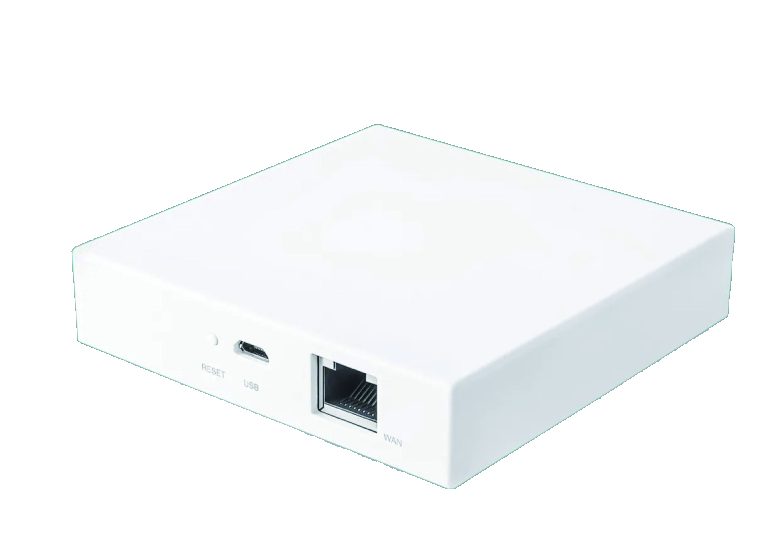
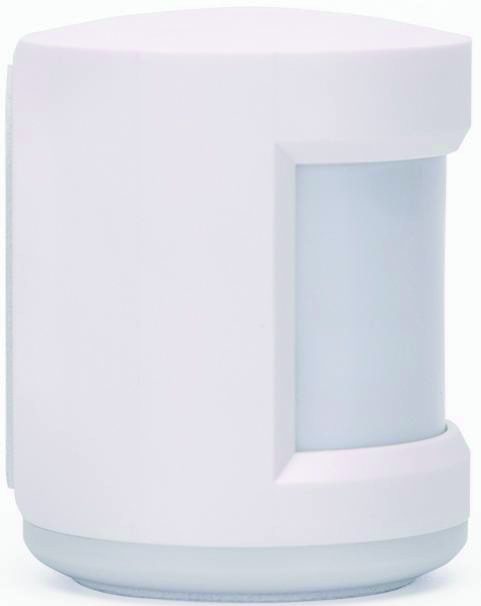
This makes the range the usual choice for hotel room control, apartment blocks, offices and larger residential projects, where reliability and device count matter more than setup simplicity.
Why project buyers choose Zigbee
Reliability at scale
- Mesh routing keeps devices reachable even at the far end of a building.
- Low standby power suits installations with many devices per room.
Control that keeps working
- Local control keeps working when the internet connection drops.
- A single gateway can manage lighting, sockets, sensors and curtains together.
Ranges where every device talks to the router directly are covered by the Wi-Fi wall switch instead.
Available configurations
- 1 to 4 gang wall switches, with or without neutral wire.
- Coordinator gateway supplied with the switches, or integration with an existing hub.
- Optional scene panels and scene buttons for room-level control.
- Glass or plastic faceplates in the same finishes as the Wi-Fi range.
System planning support
Project buyers are asked for a simple plan: number of rooms, devices per room, distance between the furthest device and the gateway, and whether local control must survive a network outage. We return a device list, gateway quantity and placement guidance so the installation can be quoted accurately. This is the same specification-first approach used for every order – see the quality control page for the testing side.
OEM options
- Logo and finish customisation across the whole device family.
- Private-label app for end customers and installers.
- Firmware behaviour agreed for your market, including failsafe mode after power cuts.
- Project packaging and installer documentation.
Planning a Zigbee network
A reliable Zigbee installation starts with a floor plan and a gateway position, not with a device box. Place the gateway near the centre of the controlled area where practical, give it a stable power supply and connect it to the building network. On multiple floors, think about how the signal will travel between rooms and whether mains-powered switches, sockets or repeaters can strengthen the mesh along the route.
Count every controlled circuit, not just the number of rooms. A hotel suite may need several wall switches, a scene panel, sockets, a curtain controller and sensors, while a small apartment may need only a few devices. List the devices by type and floor, mark the furthest point from the gateway and identify any metal, concrete or service riser that could reduce wireless range. The result is a network plan that can be checked before installation begins.
Build the device schedule from the room plan
| Planning item | What to plan | Confirm at quotation |
|---|---|---|
| Protocol | Zigbee 3.0 mesh and coordinator gateway | Hub compatibility and commissioning owner |
| Gangs | 1 to 4 controlled circuits per switch | Room-by-room gang schedule |
| Neutral wire | Neutral-required or no-neutral configuration | Existing wall-box wiring |
| Gateway | Location, power and network connection | Single or multiple gateways |
| Device density | Switches, sockets, sensors and curtains | Total devices and reserve capacity |
| Local control | Wall buttons during an internet outage | Required behaviour after disconnection |
| Commissioning | Rooms, scenes, users and access rights | Labels, app setup and handover support |
| Power recovery | Default state after a power cut | Per-gang state agreed in firmware |
Commissioning and outage behaviour
Commissioning should follow a naming plan. Give every room, switch, gang and scene a consistent label so the installer, facility team and end user are looking at the same map. Test one room fully before repeating the pattern, then record the gateway, firmware, app version and any device that needed a different setting. Keep the final configuration and spare pairing instructions with the project documentation.
- Test local button control with the internet connection disconnected.
- Test each gang independently, including the highest-load circuit in the room.
- Confirm the default light state after mains power is restored.
- Keep a labelled spare switch and gateway for maintenance.
Growing the network after handover
Leave capacity for later changes. A hotel may add sensors, curtain control or metering sockets after the first phase, and a landlord may extend the system when another floor is renovated. Reserve gateway capacity, document how new devices are added and keep a stock of the same faceplate finish. Mixing finishes later is often more noticeable than adding another device type.
Where the buyer is still choosing between direct router control and a mesh, the comparison of Zigbee and Wi-Fi smart switches sets out the trade-offs. The quality control process covers how samples and production batches are checked before shipment, and the OEM and ODM service covers custom gateway and firmware requirements.
Frequently asked questions
Why choose Zigbee instead of Wi-Fi for a hotel or apartment project?
Two reasons. Mesh routing keeps devices reachable even at the far end of a building, and standby power stays low when many devices are installed per room. Zigbee also keeps the guest Wi-Fi network free for guests rather than for light switches.
Do we have to buy your gateway?
No. A coordinator gateway can be supplied with the switches, or the devices can be commissioned onto an existing Zigbee hub. Whether a third-party hub works depends on the clusters it exposes, so compatibility is checked during specification.
What happens to the lights when the internet drops or the power is cut?
Local control continues to work when the internet connection drops, because the gateway and the switches stay on the local network. Behaviour after a power cut, including the default state of each gang, is agreed in the firmware specification.
Read more about the full switch range, OEM and ODM, or the company. This site is an independently built SEO case study; the company name and all product details shown are fictitious.
WORKING TOGETHER
A clear route from brief to shipment.
Specification, samples, production and packing stay on one documented path, so the approved finish is the finish that ships.
Start a project briefShare the brief
Product type, market, finish and quantity.
Approve the sample
Materials, interface and app behaviour.
Lock production
Specification, packaging and inspection plan.
Ship with clarity
Carton marks, loading plan and handover.
YOUR NEXT STEP
Let’s build it to your specification.
Send your product requirements, target market and estimated quantity. We will reply with the next steps for samples, quotation and production.